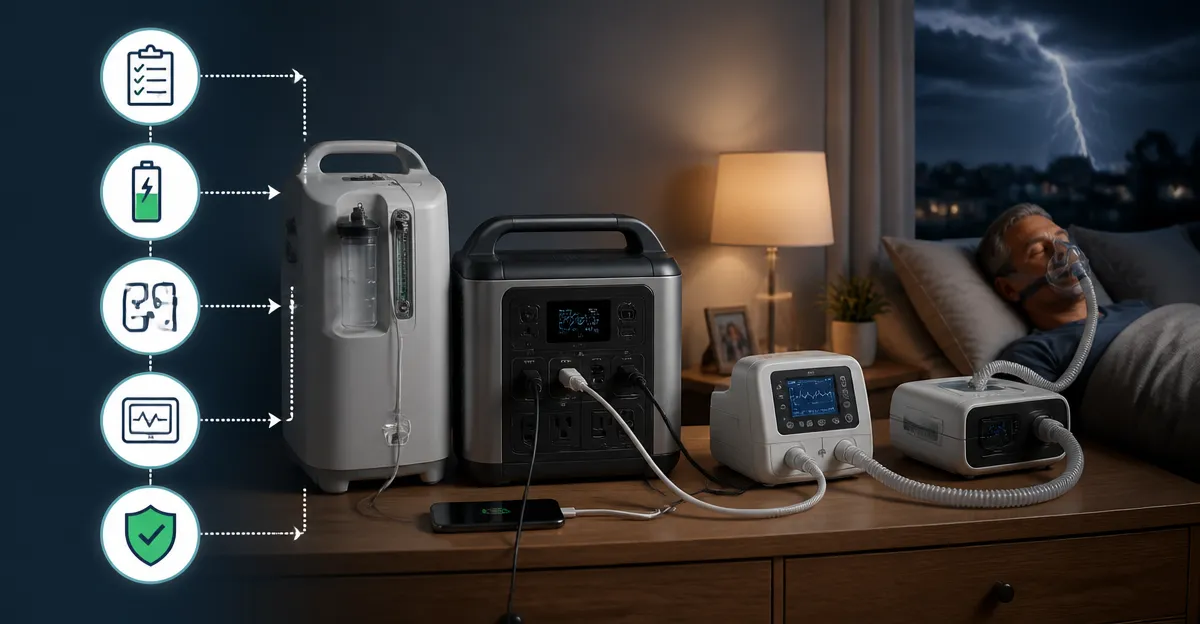
How to Prioritize Power for Medical Devices During Blackouts: Step‑by‑Step Backup Power Plan for CPAP, Oxygen, Ventilators and Life‑Sustaining Equipment
Introduction
During an unexpected power outage, reliable electricity becomes a critical factor for individuals who depend on medical devices such as CPAP machines, oxygen concentrators, and ventilators. This guide explains how to develop a comprehensive backup power strategy that safeguards health and maintains continuity of care. Readers will learn how to assess power needs, select appropriate portable power sources, and implement safety protocols. By following the outlined steps, one can minimize risk and ensure that essential therapy continues without interruption.
What You’ll Need
The following items constitute the core toolkit for a robust backup power plan. A portable power supply capable of delivering sufficient watt‑hours for the specific medical device is essential. Cables and adapters that match the device’s voltage and connector type are required for seamless integration. A reliable charging method—such as a wall outlet, car charger, or solar panel—ensures the power source remains ready for future outages. Finally, a basic emergency kit containing flashlights, batteries, and a written power‑priority checklist rounds out the preparation.
- Portable power station or dedicated CPAP battery
- Appropriate DC or AC cables for each device
- Charging solutions (wall adapter, car charger, solar panel)
- Emergency lighting and documentation tools
Step 1: Assess Power Requirements
Begin by gathering the manufacturer’s specifications for each medical device, focusing on voltage, current draw, and typical runtime on battery power. Record the maximum wattage the device consumes during normal operation, as this figure determines the minimum capacity needed from a backup source. For CPAP machines, the average consumption ranges from 30 W to 70 W, while oxygen concentrators may require 300 W to 500 W. Document these values in a table to provide a clear reference for later calculations.
Step 2: Create a Power Prioritization List
Rank each device according to clinical urgency, duration of use, and potential impact of interruption. Life‑sustaining equipment such as ventilators occupies the highest tier, followed by oxygen concentrators, then CPAP devices that support sleep‑related therapy. Assign a backup power allocation percentage that reflects this hierarchy, ensuring that critical devices receive the majority of available watt‑hours. This prioritization will guide the selection of power sources and the order in which they are connected during an outage.
Step 3: Acquire Portable Power Solutions
Select a portable power solution that matches the calculated watt‑hour requirement for the highest‑priority device. For most CPAP users, the NiteOwl CPAP Battery provides a 150 Wh swappable cell pack, delivering up to several nights of runtime for standard CPAP models. Its compact design, TSA approval, and included cables make it an ideal travel‑ready option. Priced at $299.00 with a 4.8‑star rating from five reviews, it balances cost and performance effectively.
For users requiring higher capacity, the EASYLONGER ES720 offers a 266.4 Wh battery capable of powering larger CPAP machines and even small oxygen concentrators. The unit includes four DC cables, a 180 W cigarette‑lighter socket, and multiple USB ports, allowing simultaneous charging of auxiliary devices. At $798.99, it represents a premium investment for households with multiple medical devices.
If budget constraints are a concern, the EASYLONGER ES400 supplies 148 Wh of capacity at a price of $161.99, delivering a full night of CPAP therapy for most models. Its pass‑through charging capability permits continuous operation while the battery recharges, reducing downtime during prolonged outages. The product holds a 4.3‑star rating based on 70 reviews, indicating solid user satisfaction.
For broader household needs, such as powering a small ventilator or multiple devices simultaneously, the MARBERO Portable Power Station provides 148 Wh of energy and a 200 W AC inverter capable of handling higher‑wattage loads. Its multiple USB‑C, USB‑A, DC, and AC outlets enable flexible connections, while integrated LED lanterns assist during night‑time emergencies. Priced at $99.99 with a 4.2‑star rating from 8,880 reviews, it offers an economical yet versatile solution.
Step 4: Test and Validate Runtime
After acquiring the selected power source, perform a full‑load test by operating the medical device under typical settings for at least one hour. Record the battery’s discharge curve to verify that the advertised runtime aligns with real‑world performance. Repeat the test for each device on the priority list, noting any deviations caused by additional accessories such as heated humidifiers. Adjust the power allocation plan based on these observations to ensure that the most critical equipment retains sufficient backup time.
Step 5: Establish a Recharging Strategy
Develop a recharging schedule that matches the household’s typical outage duration and available power sources. The NiteOwl CPAP Battery can be recharged directly from the CPAP’s AC adapter, eliminating the need for a separate charger. The EASYLONGER ES720 supports four rapid recharge options, including a 72 W AC adapter, a 60 W USB‑C PD charger, a 100 W solar panel, and a car outlet with an 18‑24 V converter, providing flexibility for diverse environments. The MARBERO station can be recharged via wall outlet (approximately 7 hours) or a 12 V car adapter (approximately 9 hours), with optional solar input for off‑grid scenarios.
Incorporate a solar panel into the emergency kit if the residence is prone to prolonged outages during daylight hours. A 100 W solar panel can replenish the ES720’s battery in 4–5 hours, offering a renewable backup method that reduces reliance on grid electricity. Ensure that all charging cables are stored in a waterproof container to protect them from moisture and damage.
Step 6: Implement Safety Measures
Always place portable power units on a stable, non‑flammable surface away from heat sources and direct sunlight. Verify that the battery management system (BMS) is active, as it protects against over‑charging, over‑discharging, short circuits, and temperature extremes. When using an inverter, confirm that the total load does not exceed the device’s rated wattage to prevent tripping the built‑in circuit breaker. Keep a fire‑extinguishing blanket nearby as a precaution for any electrical malfunction.
Step 7: Document and Communicate the Plan
Create a written checklist that outlines the order of device connection, charging procedures, and contact information for emergency services. Store the document in a clearly marked folder near the power equipment, and share a digital copy with family members or caregivers. Conduct a quarterly drill to rehearse the steps, ensuring that everyone involved can execute the plan confidently. Regularly review the battery health indicators and replace units that show signs of degradation.
Tips & Pro Tips
Maintain the battery at a charge level between 30 % and 80 % during long‑term storage to prolong its lifespan. Use a voltage‑stable power source; fluctuations can reduce battery efficiency and increase wear. For CPAP users who require heated humidification, consider a separate low‑power humidifier that can run on a small USB‑C power bank to conserve the main battery’s capacity. Finally, label each cable and connector with color‑coded tags to avoid confusion during rapid deployment.
Troubleshooting
If the backup battery fails to hold a charge, inspect the BMS indicator lights for error codes and consult the manufacturer’s troubleshooting guide. A sudden drop in runtime may indicate a damaged cell pack; in such cases, replace the swappable battery module rather than the entire unit. When an inverter trips repeatedly, reduce the load by disconnecting non‑essential devices and verify that the total wattage remains within the station’s limits. Persistent charging issues often stem from a faulty wall adapter; test with an alternate charger to isolate the problem.
Conclusion
Prioritizing power for medical devices during blackouts requires careful assessment, appropriate equipment selection, and disciplined maintenance. By following the step‑by‑step plan outlined above, individuals can protect their health and maintain therapy continuity even when the grid fails. The recommended portable power solutions—NiteOwl CPAP Battery, EASYLONGER ES720, EASYLONGER ES400, and MARBERO Portable Power Station—provide reliable, scalable options for a range of needs and budgets. Implementing this strategy today ensures peace of mind and readiness for any future power emergency.
Products Mentioned in This Guide
Frequently Asked Questions
How do I calculate the watt‑hour requirement for my CPAP or ventilator?
Check the device’s power label or manual for watts, then multiply by the hours you need backup power to get total watt‑hours.
What type of portable power source is best for medical equipment during an outage?
A high‑capacity lithium‑ion battery pack or a small inverter‑generator rated for the device’s wattage provides reliable, silent backup.
Can I use a car charger or solar panel to power my oxygen concentrator?
Yes, if the charger or panel matches the device’s voltage and provides enough watt‑hours, but verify compatibility and use proper adapters.
How often should I test my backup power system?
Test the system at least once every three months by running the device on the backup source for the intended duration.
What safety precautions should I follow when connecting medical devices to a backup power supply?
Use correctly rated cables, ensure proper grounding, avoid overloading the source, and keep the device in a well‑ventilated area.